Feature #468
openSensor Contact Screen – Usability and User Guidance
0%
Description
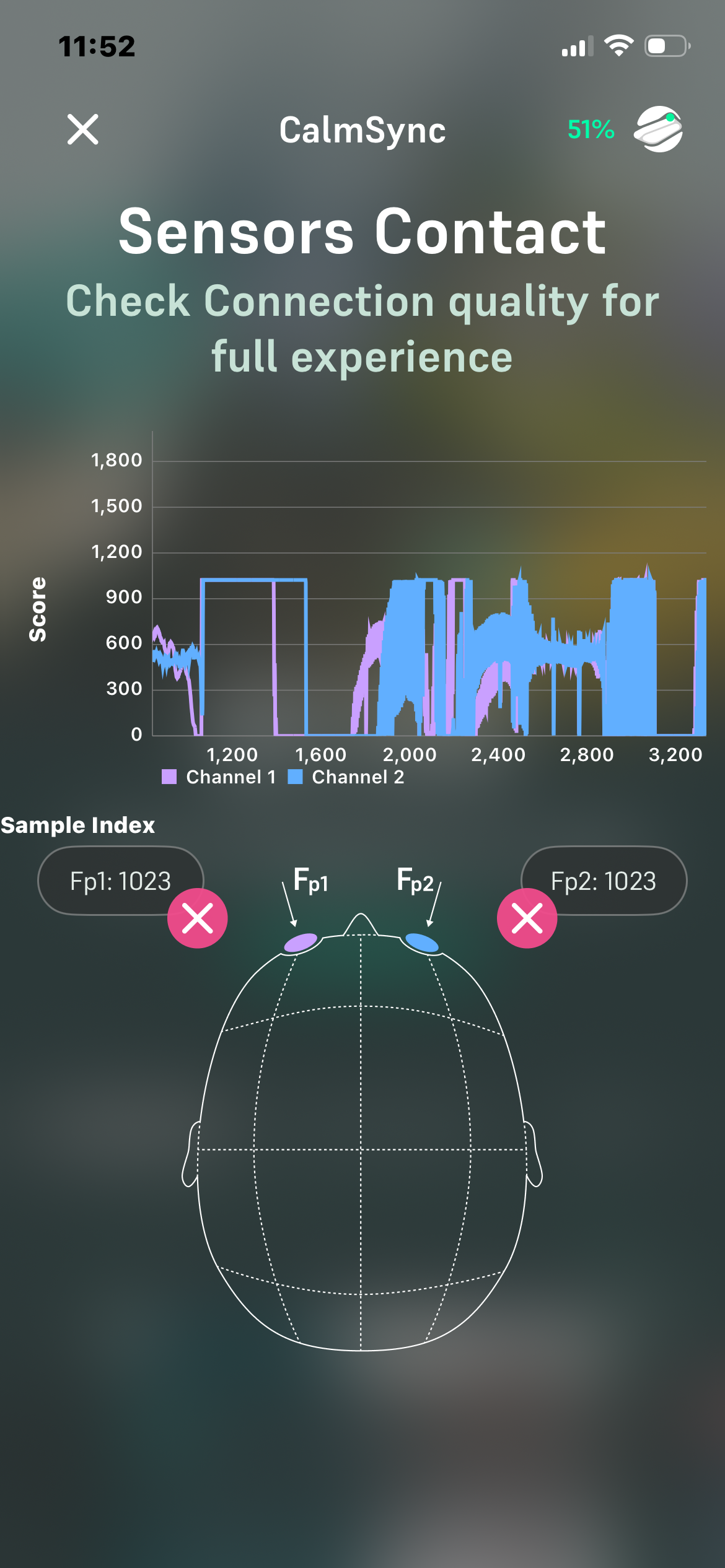
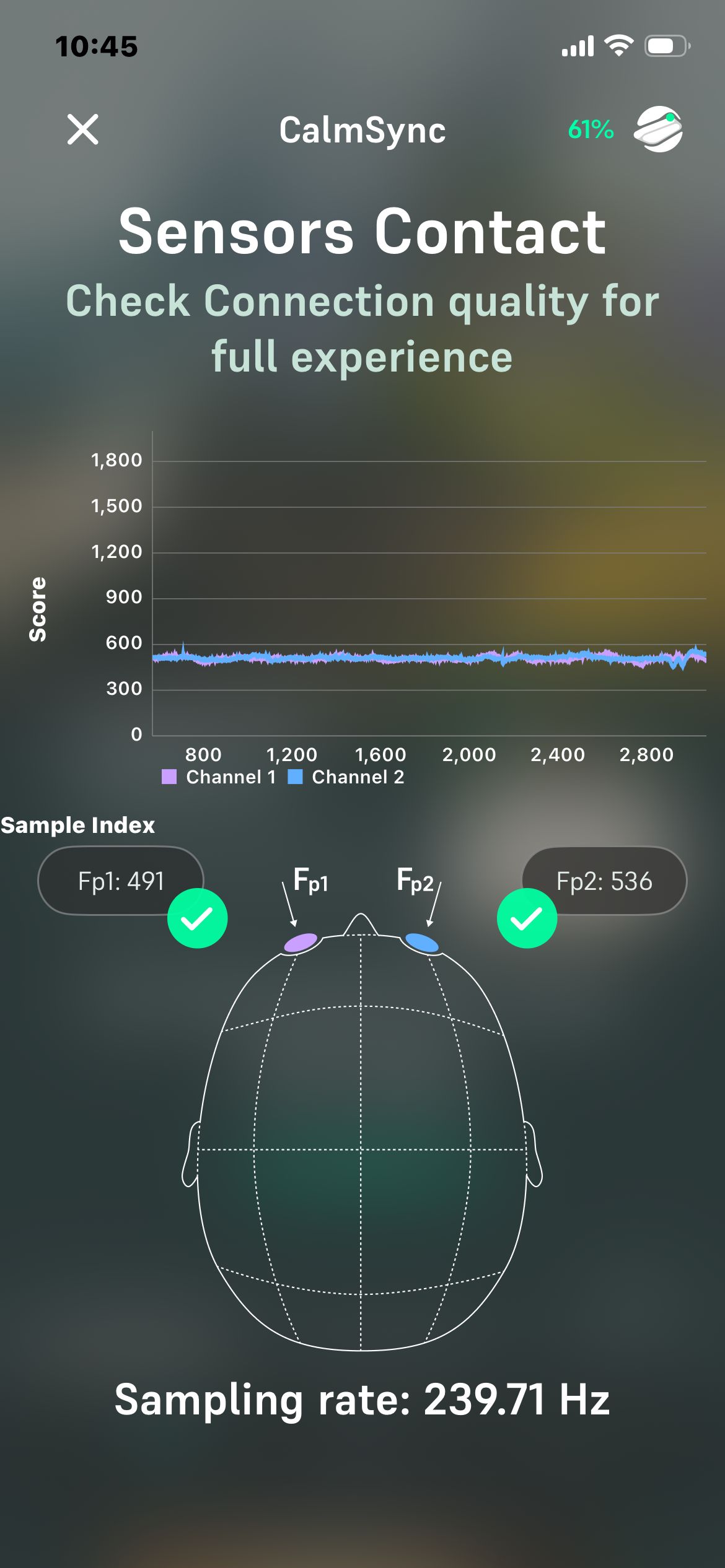
The Sensor Contact screen currently presents technical values - numbers, score, sample index that may be difficult for end users to interpret. Simplifying the information architecture and providing clearer guidance would improve usability.
Files
Updated by Vishal Hawale 3 months ago
Vishal Hawale wrote:
The Sensor Contact screen currently presents technical values - numbers, score, sample index that may be difficult for end users to interpret. Simplifying the information architecture and providing clearer guidance would improve usability.
The screen currently requires users to interpret individual sensor readings and technical details such as raw sensor values and sampling rate (239.71 Hz) to understand the device status. Most users are primarily interested in knowing whether the device is ready to use. Consider adding a clear overall status indicator such as "Ready to Start – Good Sensor Contact" or "Poor Contact Detected – Adjust Sensors", while moving technical information such as raw values and sampling rate to an advanced/debug section. This would make the setup process more intuitive and user-friendly.